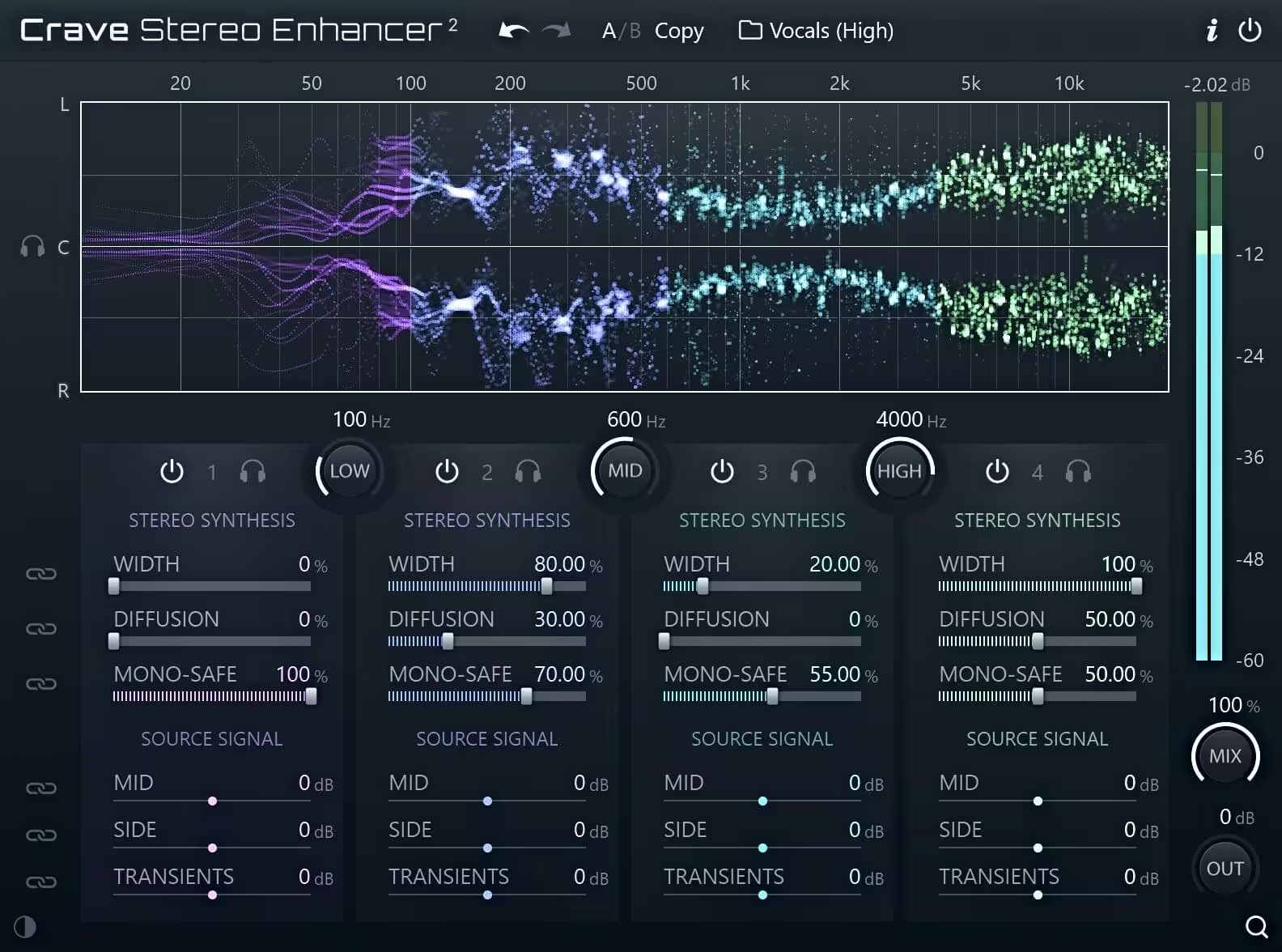
Hi, iam back again with another plugin. But before we begin with the article lets me apologize for not posting on for too much time. Recenty i was again searching for the some special plugin that could add some three Dimentional effect to my audio. While many stereo wideners can do but they introduce phase issues or wash out the center image, I recently integrated Crave Stereo Enhancer 2 into my workflow. After putting this version through its paces on both Windows and macOS, I found it to be a massive leap forward from its predecessor.
In this review article, I will break down the features, technical updates, and real-world applications of this precision four-band stereo widening tool.
What is Crave Stereo Enhancer 2?
Crave Stereo Enhancer 2 is a professional-grade, four-band stereo widening plugin designed specifically for mixing and mastering. I found that most dimention plugins just add delay but Crave DSP has rebuilt this tool from the ground up to offer surgical control over the stereo field while remaining 100% mono-compatible and this mono compatibility impressed me.
The “v2” designation marks a complete overhaul of the original engine. It is designed to generate synthetic stereo content that sounds natural, making it ideal for taking a mono source which is like a single-tracked lead vocal or a dry synth—and giving it a vast, professional width without the typical “phasing” artifacts.
Key Features of v2.0.33
As I have explored the layout of this VST, it becomes clear that Crave DSP focused on transparency and user control.
- Multiband Precision: The plugin divides the audio into four adjustable frequency bands. This allows you to widen the high-end air of a vocal while keeping the low-end “body” focused and narrow.
- Transient Suppression: One of the most innovative features is the multiband transient suppression. It removes sharp transients from the widening process, ensuring that your drums or percussive elements stay “punchy” and centered even when the surrounding reverb or atmosphere is wide.
- Sideband-Only Processing: The plugin operates exclusively on the side channel. This means your original mono signal (the “Mid”) remains untouched, preserving the core integrity of your mix.
- Delay-Free Operation: For tracking or time-sensitive mixing, you can run the plugin with zero latency, making it a powerful choice for live recording environments.
The Modulation & Control Section
Control in Crave Stereo Enhancer 2 goes beyond a simple “width” knob.
The Enhance Slider:
This has become my primary tool for boosting the side channel in my rock songs Because it doesn’t touch the mid-signal, the “phantom center” of your mix remains rock-solid. This features creates a sense of emotion or i can say it make the music to play all around the head.
Adjustable Delay for Depth:
To add “glue” and a sense of three-dimensional space, you can apply a mono-compatible delay. This helps widened elements sit further back in the mix, perfect for orchestral layers or backing vocals.
Low-Frequency Management:
A dedicated low-cut filter ensures that sub-bass frequencies are excluded from the widening process, which is essential for maintaining a tight, club-ready low end.
Technical Updates in v2.0.33
The v2.0.33 update specifically addresses stability and workflow on Windows (WiN) and macOS. Key fixes in this build include:
- DPI Scaling: Fixed an issue where the plugin displayed incorrectly in DAWs like Cantabile on Windows.
- Stability: Resolved crashes related to closing the plugin window in specific hosts like DaVinci Resolve.
- GPU Optimization: The graphics engine is now significantly lighter, using 8x less GPU memory and up to 4x less processing power, which is a lifesaver for producers running heavy sessions with high track counts.
Practical Applications
Vocals:
Use the “Air” bands to spread high frequencies (8kHz+) for a modern, “expensive” vocal sound.
Guitars:
Transform a single mono DI guitar into a wide, double-tracked wall of sound using the synthetic stereo generator. I mostly use it on guitars.
Mastering:
Gently increase the width of the mid-to-high frequencies on your master bus to give the track a final “commercial” polish without losing the kick and snare’s impact. Be very careful if you using it on master channel. You must have the skill of listening. Its become sometimes this plugins sounds good for untrained ears.
Honest Review
I have used Crave Stereo Enhancer 2 on several recent projects, and here is my honest take. This review is not sponsored; it is purely a look at how this software benefits the music production community.
Pros:
- Unrivaled Mono Compatibility: You never have to worry about your mix disappearing on a phone speaker. As I earlier mentioned in the article before that this feature impressed me a lot. Before using this plugin , I was scared to use stereo widening plugins before they always mess with the phase of the sound.
- Efficiency: It is incredibly lightweight on the CPU. I also want to mention that iam using Dell Latitude 5500 with the 8gb Ram and 2gb integrated graphic card for now.
- Surgical Detail: Being able to target specific frequency bands for widening is a game-changer compared to “one-knob” wideners.
Cons:
- Learning Curve: Because it is a four-band processor, it takes slightly more time to “set and forget” than simpler plugins.
- Clinical Sound: It is very transparent. If you are looking for “analog grit” or tube saturation, you might need to pair this with a saturation plugin.
Final Verdict:
Crave Stereo Enhancer 2 v2.0.33 is a “fix-it” and “enhance-it” tool all in one. It provides the precision needed for modern mastering while offering the creative flexibility required for sound design. If your mixes feel “small,” this is the surgical tool you need to open them up.